
7 Powerful Tips for Samsung Dryer Repairs in Campbelltown: What You Need to Know
A clothes dryer can quickly become one of those appliances you don’t think about until it stops working.
You put a load of clothes inside, select your usual cycle, press start, and expect everything to be dry when you return. When the Samsung dryer suddenly refuses to start, produces no heat, makes an unusual noise, or takes hours to finish a cycle, it can become a real inconvenience.
For households in Campbelltown and surrounding suburbs, finding reliable Samsung dryer machine repairs in Campbelltown can help get the appliance back to normal without unnecessary replacement.
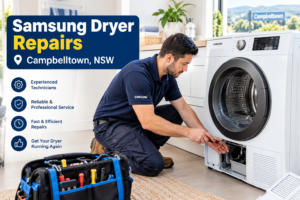
Samsung dryers are designed with a range of modern features, including moisture sensors, heat-pump technology on applicable models, digital controls, automatic drying programs and smart functions. These features can make drying more convenient, but they also mean that diagnosing a fault isn’t always as simple as replacing one obvious component.
The good news is that many dryer problems are identifiable.
Sometimes the problem is something simple, such as a blocked lint filter, a full water tank, a restricted airflow path or an incorrect setting. Other faults may involve electrical components, sensors, motors, heating systems, door switches or electronic controls.
Samsung’s Australian support information also recommends checking the relevant information code and troubleshooting guidance for your particular model before arranging service. Different models can use different codes and functions, so the model number matters when diagnosing a fault.
Why local repair knowledge matters
Campbelltown has a mixture of established homes, newer properties, apartments and busy family households. Dryers can be used heavily, particularly during wet weather when outdoor clothes drying becomes difficult.
A local appliance repair technician can assess the appliance in its actual installation environment.
Instead of guessing from a general symptom, a technician can inspect the dryer, identify the likely cause, test relevant components and explain whether repair is a sensible option.
This is particularly useful when you’re searching online for Samsung dryer machine repairs in Campbelltown near me and want more than a generic troubleshooting article.
The aim should always be straightforward: identify the problem accurately, repair it safely where appropriate, and help the dryer operate reliably again.
Common Samsung Dryer Problems in Campbelltown Homes
A Samsung dryer can experience different problems depending on its age, model, workload, maintenance history and installation conditions.
Here are some of the issues homeowners commonly encounter.
Dryer won’t turn on
If the control panel appears completely dead, start with the basics.
Check whether the power connection is secure and whether the relevant circuit breaker has tripped. Samsung’s support information notes that some dryer information codes and power-related problems can require checking the home’s electrical supply.
If the dryer remains unresponsive, don’t repeatedly attempt to operate it.
An electrical fault, damaged connection, control problem or internal component may need professional attention.
Dryer runs but doesn’t produce enough heat
This is one of the most frustrating dryer problems.
The drum may rotate normally, but your clothes remain damp after a full cycle.
Possible causes can include:
- Restricted airflow
- A dirty lint filter
- A blocked heat exchanger
- A sensor problem
- A heating-system fault
- Incorrect cycle selection
- An issue with the dryer’s temperature system
- A component requiring professional testing
Samsung specifically recommends maintaining the lint filter and heat exchanger because contamination can reduce drying performance.
Before assuming that a heating component has failed, make sure the basic maintenance checks have been completed.
Dryer takes too long to dry clothes
A dryer that used to finish a normal load efficiently but now needs several cycles deserves attention.
Don’t automatically assume that the machine needs a major repair.
Airflow restrictions are worth checking first. Overloading the drum can also affect drying performance because warm air cannot circulate effectively through a tightly packed load.
For suitable Samsung heat-pump models, the heat exchanger should also be kept clean. Samsung Australia recommends regular heat-exchanger cleaning and warns that damaged fins can reduce performance.
If maintenance doesn’t solve the issue, professional Samsung dryer machine repairs in Campbelltown may be appropriate.
Dryer stops during a cycle
A dryer that starts normally but stops before the clothes are dry may have several possible causes.
It could be related to overheating protection, airflow, sensors, power supply, control electronics or another internal fault.
The exact cause cannot be confirmed simply by looking at the symptom.
A technician can test the machine and determine whether the problem is maintenance-related or requires replacement of a component.
Dryer makes unusual noises
A Samsung dryer should operate with normal operating sounds, but a sudden grinding, squealing, scraping, rattling or knocking noise shouldn’t be ignored.
Possible sources include moving components, drum-support parts, motor-related components or objects caught where they shouldn’t be.
If a new or increasingly loud noise appears, stopping the appliance and arranging an inspection is generally wiser than continuing to run it.
Dryer displays an error or information code
Modern Samsung dryers can display codes or notifications when the appliance detects something requiring attention.
For example, Samsung Australia’s information-code guide includes codes relating to doors, filters, drainage, temperature sensors, compressors, communication and other systems.
Don’t assume every code means a major mechanical failure.
Some notifications are reminders to clean a filter, empty a tank or check a particular part of the appliance.
The correct interpretation depends on the model.
Why Professional Samsung Dryer Repairs Matter
When a dryer develops a fault, it’s tempting to search for a quick online fix.
That’s fine for basic maintenance.
It’s a different situation when the problem involves electrical components, internal wiring, heating systems, motors or electronic controls.
Safety comes first
A clothes dryer combines electricity with heat and moving mechanical parts.
That combination deserves respect.
Cleaning a lint filter is a normal maintenance task. Opening the appliance and testing internal electrical components is another matter.
Samsung’s Australian support information specifically identifies some procedures as requiring professional attention, particularly where electrical wiring and heating-related components are involved.
For this reason, homeowners should avoid attempting complex internal repairs without the appropriate knowledge and equipment.
Accurate diagnosis can save money
Replacing parts without diagnosing the actual fault can become expensive.
Imagine a dryer that isn’t heating.
It could be tempting to replace a heating-related component immediately. But if the actual problem is airflow, a sensor, a control component or another part of the system, replacing the wrong component won’t solve the problem.
A professional diagnostic process works differently.
The technician starts with the symptom, checks the relevant systems and narrows down the cause.
That approach can prevent unnecessary parts replacement.
Repair versus replacement
Not every faulty dryer needs to be replaced.
A relatively minor component failure may be worth repairing, particularly if the appliance is otherwise in good condition.
On the other hand, an older dryer with multiple faults may not make financial sense to repair.
A good repair service should explain the situation rather than automatically recommending the most expensive option.
The decision should consider:
- Age of the dryer
- Type of fault
- Cost of required parts
- Labour involved
- Overall appliance condition
- Expected future reliability
- Availability of suitable replacement parts
This helps homeowners make an informed decision.
Samsung Dryer Troubleshooting You Can Safely Try
Before booking Samsung dryer machine repairs in Campbelltown, there are several simple maintenance checks you may be able to perform yourself.
These aren’t intended to replace professional diagnosis. They are basic checks that can sometimes resolve straightforward problems.
Clean the lint filter
The lint filter plays an important role in dryer performance.
Samsung Australia recommends cleaning the lint filter after each load. The company also warns that operating the dryer with a wet filter can contribute to odours, mould and reduced drying performance.
A simple routine is:
- Remove the lint filter according to your model’s instructions.
- Remove accumulated lint.
- If the filter requires washing, clean it as instructed.
- Allow it to dry completely.
- Reinstall it correctly before using the dryer.
Never operate the dryer without the required filter correctly installed.
Check the dryer load
Overloading can make drying less effective.
Clothes need enough space to tumble and allow warm air to circulate.
If you regularly fill the drum to maximum capacity, try a smaller load and see whether drying performance improves.
Check the water tank where applicable
Some Samsung heat-pump dryers collect condensation in a water tank.
If the tank becomes full, the dryer may display a notification.
Samsung’s Australian guidance confirms that an “Empty the tank” notification means the water tank should be checked and emptied.
Check the heat exchanger
For applicable Samsung heat-pump models, the heat exchanger needs regular cleaning.
Samsung recommends cleaning the heat exchanger approximately once a month on applicable models and explains that a dirty heat exchanger can affect drying performance.
Always follow the instructions for your specific dryer.
Check the information code
If your dryer displays a code, write it down.
Don’t rely on memory.
The exact code can help a technician understand the problem before arriving.
Samsung also notes that codes and procedures can vary between models and locations, which is why the model-specific manual is important.
When to stop troubleshooting
Stop and arrange professional assistance if you notice:
- Burning smells
- Smoke
- Sparks
- Damaged electrical cords
- Repeated circuit-breaker trips
- Severe overheating
- Loud mechanical noises
- Water entering areas where it shouldn’t
- Persistent error codes
- A fault that returns after basic maintenance
These symptoms shouldn’t be ignored.
What a Professional Dryer Repair Service Checks
When you book Samsung dryer machine repairs in Campbelltown, the quality of the diagnosis matters just as much as the repair itself.
A professional technician will normally begin by asking questions about the problem.
For example:
- When did the fault begin?
- Does the dryer start normally?
- Does the drum rotate?
- Does it produce heat?
- Does it stop partway through a cycle?
- Is there an error code?
- Has the dryer recently been moved?
- Has the problem occurred before?
These details can provide useful clues.
Visual inspection
The technician can inspect the appliance for obvious issues.
This may include checking the condition of accessible components, filters, airflow areas, electrical connections and installation conditions.
Operational testing
The dryer can then be tested to reproduce the fault.
This is important because intermittent problems may not be obvious when the appliance is switched off.
Component diagnosis
Depending on the symptoms and model, the technician may investigate components such as:
- Temperature sensors
- Heating system components
- Motors
- Door switches
- Control boards
- Airflow-related components
- Drainage components
- Heat-pump system components
- Electrical connections
The exact components vary between Samsung dryer models.
Error-code interpretation
A displayed code can help identify the system that needs attention.
Samsung’s Australian information-code documentation provides examples including door, filter, drainage, temperature and compressor-related codes.
However, an error code should be treated as a diagnostic clue rather than an automatic instruction to replace a particular part.
Repair and testing
Once the fault has been identified, the technician can explain the recommended repair.
After the repair, the dryer should be tested to confirm that the original symptom has been addressed.
This final testing step is important.
A repair isn’t simply about installing a component. The appliance needs to operate correctly afterward.
How to Choose the Best Samsung Dryer Repair Service
Searching for best Samsung dryer machine repairs in Campbelltown can bring up plenty of results.
But how do you know which service is actually suitable?
Look for appliance-repair experience
A technician who regularly works with dryers is likely to understand common symptoms, diagnostic procedures and appliance safety considerations.
Experience with Samsung appliances can also be useful because Samsung dryer models can differ in features, technology and troubleshooting procedures.
Ask about diagnosis
A reliable service should be willing to explain how the fault will be assessed.
Be cautious of anyone who immediately promises a specific repair without seeing the appliance or understanding the symptoms.
Check whether the service covers your area
If you’re located in Campbelltown, it can be convenient to choose a service that regularly works in Campbelltown and nearby suburbs.
This may make appointment scheduling easier.
Local coverage may include areas such as:
- Campbelltown
- Bradbury
- Airds
- St Andrews
- Eagle Vale
- Ruse
- Leumeah
- Ingleburn
- Glenfield
- Macquarie Fields
- Surrounding South-West Sydney suburbs
Service areas vary between businesses, so confirm coverage before booking.
Ask about parts
If a component needs replacement, ask what part is being recommended and whether it is suitable for your exact model.
The model number is particularly important.
Samsung Australia notes that the model and serial information can be useful when arranging repair and support.
Look for clear communication
Good customer service isn’t complicated.
You should be able to understand:
- What the technician found
- What needs repair
- Whether parts are required
- What the repair involves
- Whether the appliance is worth repairing
Clear communication builds trust.
Avoid exaggerated claims
Be careful with claims such as “guaranteed same-day repair for every Samsung dryer” or “every problem fixed instantly.”
Real appliances don’t work that way.
Some repairs require parts. Some faults require additional diagnosis. Some older machines may not be economical to repair.
A trustworthy repair business should set realistic expectations.
Preventing Future Samsung Dryer Problems
Once your dryer has been repaired, regular maintenance can help reduce avoidable problems.
You don’t need a complicated maintenance routine.
A few simple habits can make a meaningful difference.
Clean the lint filter after every load
This should become part of your normal laundry routine.
Samsung specifically recommends cleaning the lint filter after each load to maintain drying performance.
Maintain the heat exchanger
If your model uses a heat exchanger, follow the manufacturer’s maintenance instructions.
Samsung recommends regular heat-exchanger cleaning for applicable heat-pump dryers.
Don’t overload the dryer
Give clothes enough room to tumble.
If a load is extremely large, divide it into two smaller loads.
This can improve air circulation and drying performance.
Don’t ignore unusual sounds
A small noise can become a bigger mechanical problem if the appliance continues operating under abnormal conditions.
If you notice a new grinding, squealing, scraping or knocking sound, investigate it rather than waiting for the dryer to stop completely.
Keep the dryer area suitable
The appliance should have the clearance and installation conditions specified for the particular model.
Don’t block required ventilation areas or place items where they can interfere with safe operation.
Follow the owner’s manual
Every Samsung dryer is not identical.
Controls, filters, cleaning procedures, error codes and features can vary by model.
Samsung Australia provides model-specific support and manuals through its support platform.
Keep the model number handy
If you ever need Samsung dryer machine repairs in Campbelltown, having the model number available can make communication easier.
It can help a technician understand which appliance version they’re dealing with and identify the appropriate documentation or parts.
Frequently Asked Questions About Samsung Dryer Repairs
FAQ 1: Why is my Samsung dryer running but not drying clothes?
There can be several reasons.
A dirty lint filter, restricted airflow, overloaded drum or dirty heat exchanger can reduce drying performance. Samsung also identifies temperature sensors and other system components as possible sources of problems when certain information codes appear.
Start with basic maintenance. If the problem continues, professional diagnosis may be required.
FAQ 2: How often should I clean my Samsung dryer lint filter?
Samsung Australia recommends cleaning the lint filter after every load.
Regular cleaning helps maintain drying performance and prevents lint from accumulating in the filter system.
Always follow the instructions for your particular model.
FAQ 3: Should I repair or replace my Samsung dryer?
It depends on the age and condition of the appliance and the cost and nature of the fault.
A dryer with one repairable component may be worth repairing. An older machine with several significant problems may make replacement more practical.
A professional diagnosis can help you compare the options.
FAQ 4: Why does my Samsung dryer show an error code?
Samsung dryers can display different information codes for different conditions.
Examples include door-related, filter-related, drainage, temperature and other system notifications.
Write down the exact code and check the manual for your model. If the notification remains after the recommended basic troubleshooting, consider arranging professional service.
FAQ 5: How do I find Samsung dryer machine repairs in Campbelltown near me?
Start by looking for a local appliance repair service that works with Samsung dryers and covers Campbelltown.
Check whether the business provides clear service information, explains its diagnostic process and can work with your specific dryer model.
Before booking, provide the model number and describe the problem clearly. For example, explain whether the dryer isn’t starting, isn’t heating, stops during cycles, produces unusual sounds or displays an information code.
This can help the technician prepare for the appointment.